Wi-Fi
The Wi-Fi page shows the frame’s current connection, scans for networks nearby, and connects to or forgets them. It also runs a hotspot fallback that rescues a frame which can no longer reach a known network, the situation you hit after moving it or changing your Wi-Fi. Find it under Wi-Fi in the admin interface.
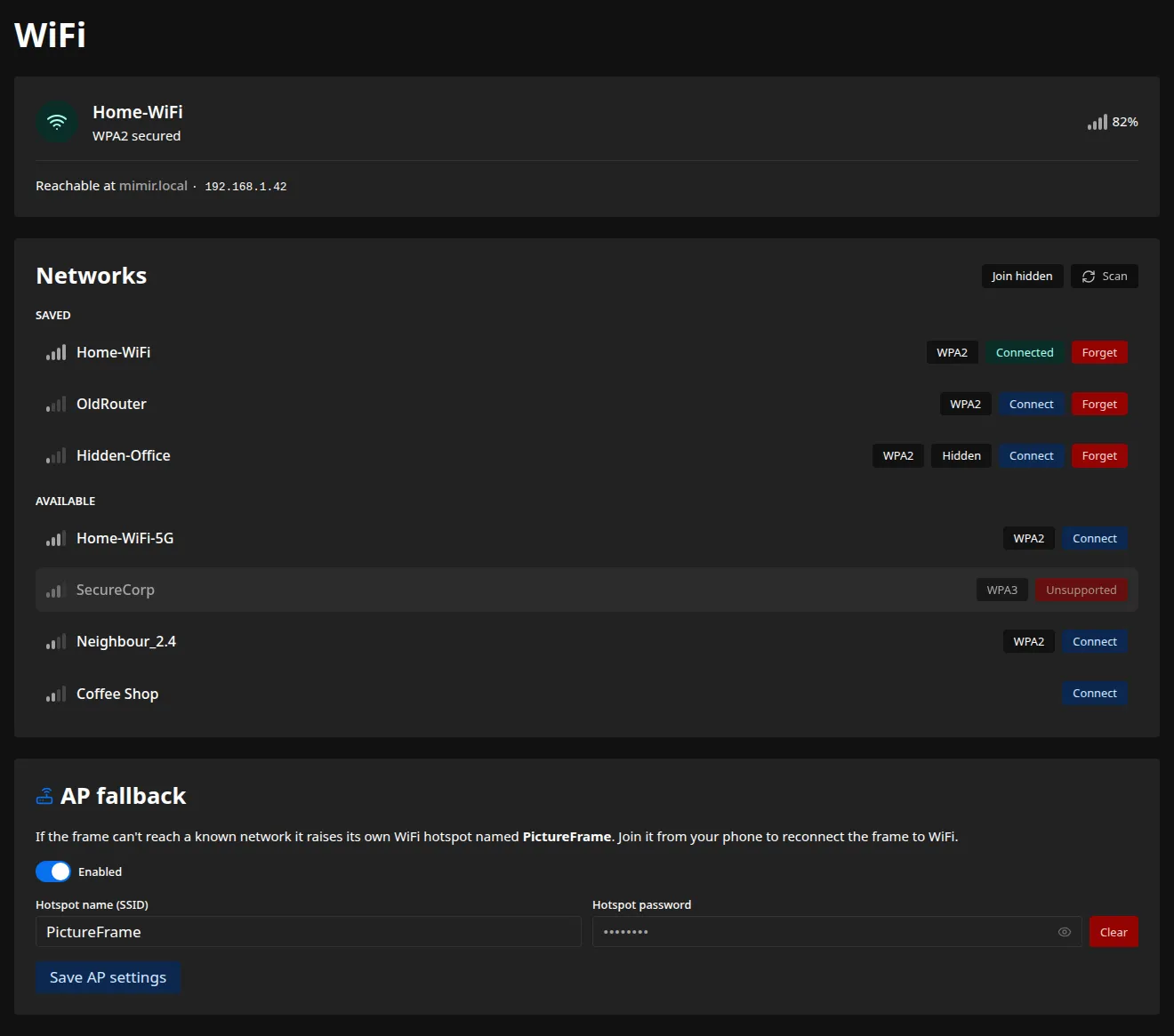
Current connection
Section titled “Current connection”The status card shows whether the frame is connected and to which network, or whether it is running its own hotspot, along with its hostname and address.
Joining a network
Section titled “Joining a network”Scan to list the networks in range. A saved network or an open one connects in a single click. A secured network you have not used before asks for its password first.
A banner follows the attempt, from connecting through to success or the error that stopped it.
When the frame moves to a different network its address can change, so you reach it again at its
hostname, such as http://pictureframe-XXXX.local.
A hidden network does not show up in a scan. Use Join hidden above the network list, type its exact name and password, and the same banner follows the attempt. Leave the password empty for an open network.
Forgetting a network
Section titled “Forgetting a network”Forgetting a saved network stops the frame from using it. If you forget the network it is currently on, the frame fast-tracks to another saved network in range, or raises its hotspot if there is none. The confirmation spells out which will happen before you commit.
A hidden network you have joined still appears in the Saved list, tagged Hidden, even though it never shows up in a scan, so you forget it the same way.
The hotspot fallback
Section titled “The hotspot fallback”This is the recovery path for a frame that has lost its network. After a few minutes with no known network in reach, the frame raises its own Wi-Fi hotspot with a captive portal. Join it from your phone, and the admin interface opens on its own so you can point the frame at the new network, with no keyboard or SSH. While the hotspot is up the frame keeps scanning, and it rejoins a known network the moment one returns.
On this card you can:
- turn the fallback on or off;
- set the hotspot name,
PictureFrameby default; - set an optional hotspot password, or leave it empty for an open hotspot.
These apply immediately. The installer can set the hotspot up at install time as well.
The delay before the hotspot appears and how often the frame rescans while it is up are
config-file settings (ap_timeout_minutes and scan_interval_minutes), listed in the
configuration reference.