Self-hosted Raspberry Pi photo frame
Self-hosted ambient display
A picture frame that knows the room.
Turn the cheapest Raspberry Pi and a screen you already own into a private ambient display: your photos beside the time, the weather, and the real temperature in your rooms. It powers down when you leave, and plugs straight into Home Assistant.
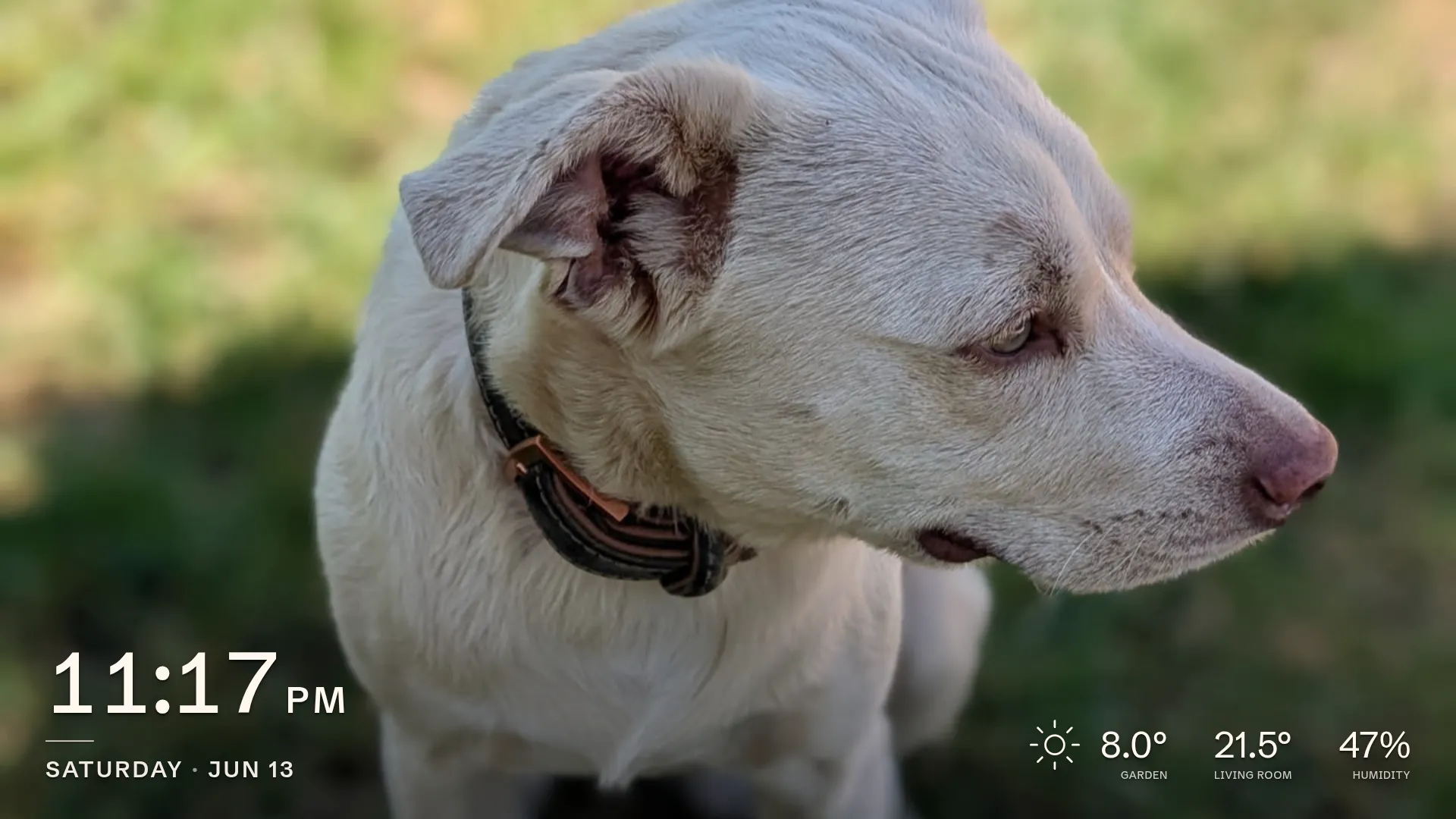
An ambient display, not a slideshow
Your photos share the screen with a clock, the weather, and the real temperature and humidity in your rooms, read from your own Bluetooth or MQTT sensors. Photos crossfade gently, smooth even on a Pi Zero W.
Plugs into Home Assistant
Over MQTT auto-discovery it publishes its sensors and a screen switch, and reads your existing sensors back. Drive the frame from your dashboard, or fold its motion and climate into automations. No helpers, no YAML.
Powers down when you leave
A motion sensor blanks the panel when the room empties and wakes it the instant you return. That’s a true screen-off, not a black image. Built from a dead laptop’s screen and the cheapest Pi, it barely sips power.
Private and self-contained
No cloud, no accounts, no telemetry. One small program is the whole device: install, kiosk, Wi-Fi recovery, and signed self-updates. Immich connects through a shared link, never an API key.
Everything, from one screen
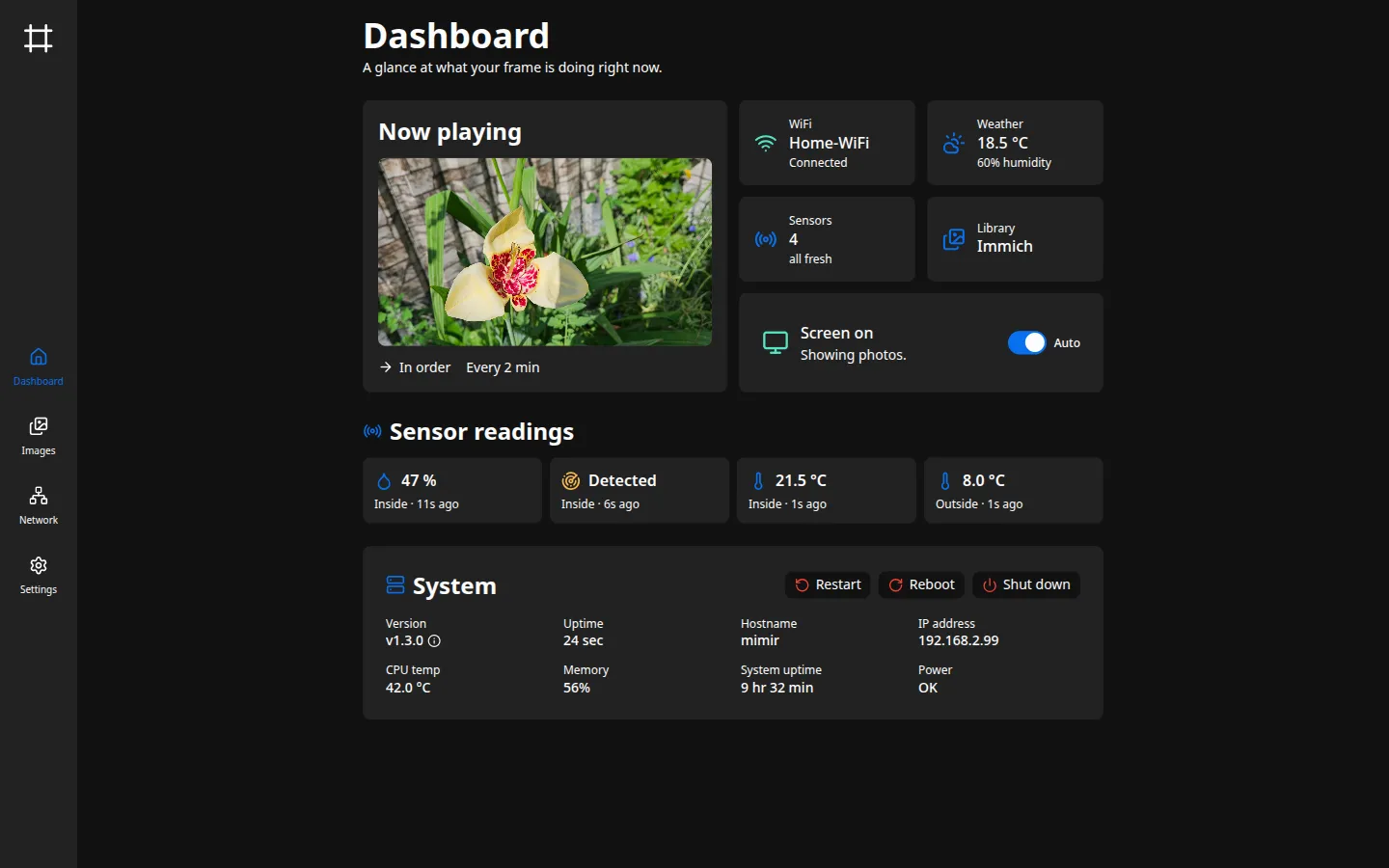
Photos, sensors, networking, software updates: the admin interface keeps the whole frame in view and a click away.
Why Picture Frame?
Plenty of projects turn a screen into an Immich slideshow. This one is built to be lived with. It shows your photos beside the clock, the weather, and the real temperature in your rooms, powers the panel down when you leave and wakes it when you’re back, and joins Home Assistant as a first-class device, discovered automatically. One small program runs all of it (install, kiosk, networking, updates) on the cheapest Pi and a screen you already owned.
Get started